Your comments

Hey, quick update: We switched the pin configuration around and plugged eth0 of the bbb into a specific port in one location and then plugged a laptop running OpenICE into a similar port in another room (same subnet) and the Supervisor application started up automatically, wave forms look great! If we plug the board directly into the laptop via USB it works too!
Now the 2 big issues:
- getting the ICE_Device_Interface to work without a supervisor, shouldn't it just use the same ip as what appears in the supervisor?
- using a crossover cable just between the computers and the board. We can ping and use ssh over the crossover, but the ICE_Supervisor does not pick up the monitor session. This page (https://www.openice.info/docs/5_device-adapter-config.htm) mentions the bbb needs a method of establishing time, is this what is preventing the session from starting over crossover cable?
Thank you!
Hello, it looks like we are only getting this Request phase when the USB is plugged in. We are troubleshooting to see why the eth0 is not getting picked up, but please let me know if you have any tips or ideas.
Thank you!
Thank you!
Hey Jeff,
Pardon the delay! After some time we were able to get the LAN interface figured out, but it looks like our application requires RS232. I believe I have the beaglebone set up properly with the device.this mentioned in the device adapter configuration example. And we were even able to set the eth0 static IP on the beaglebone, which openICE picks up:
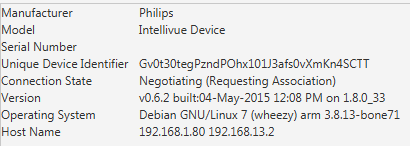
We still seem to be stuck in the Negotiating phase, which happens with or without the monitor. I think we have the pin out set up properly (this is the rj45 to db9 connector)
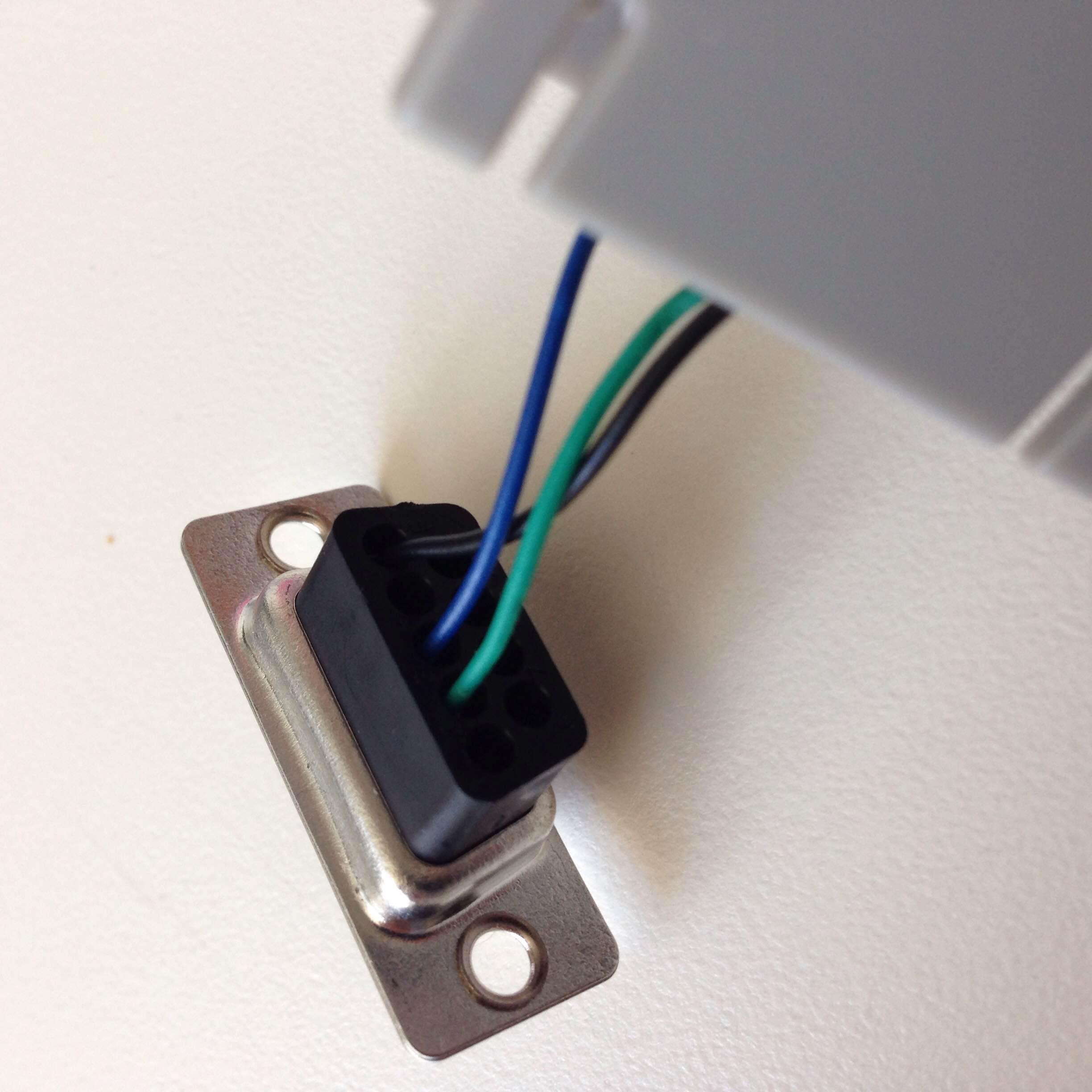
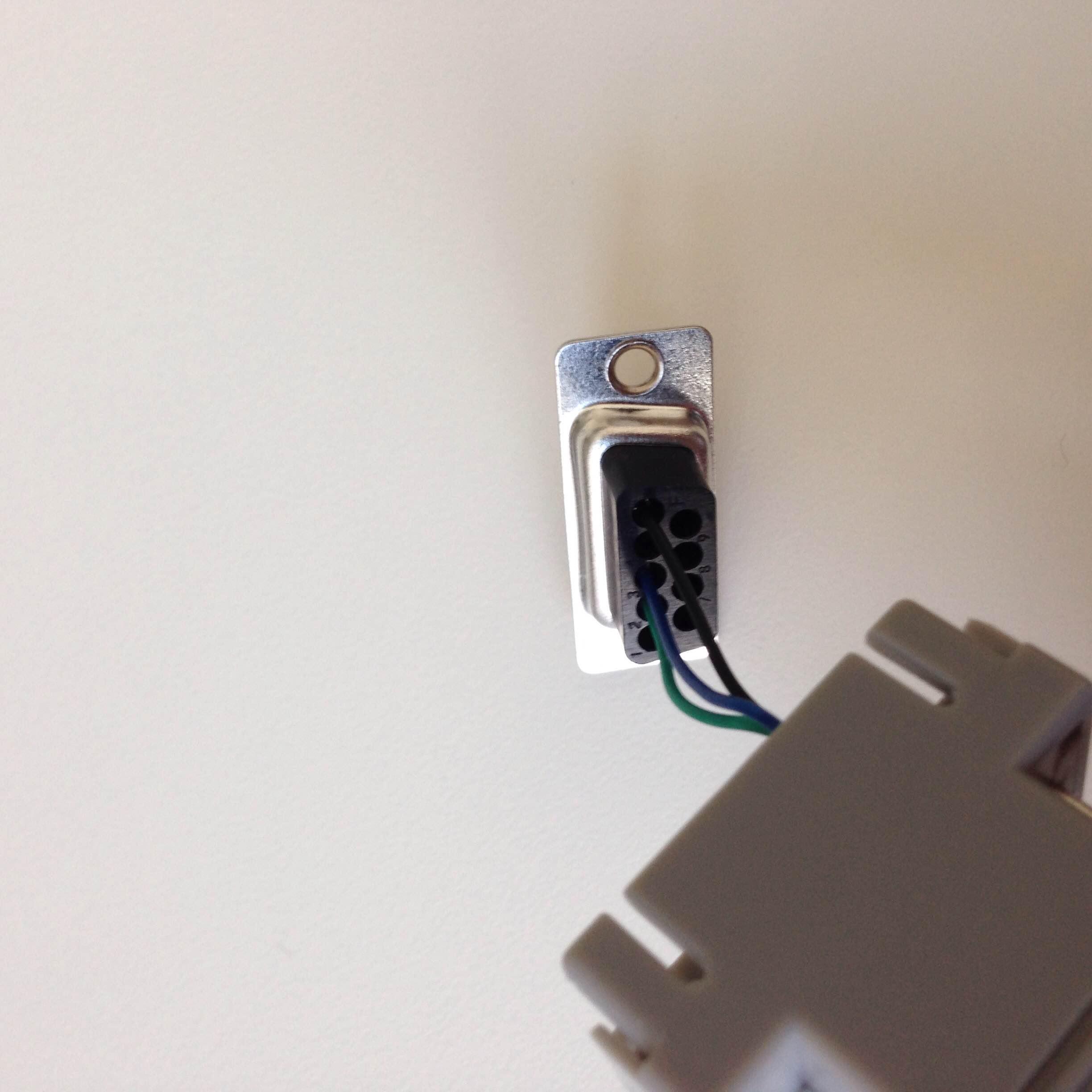
this post http://community.openice.info/topic/637293-intelliivue-device-adapter/ mentions that the MP5 and MP70 are the same except switching the blue and green cable.
"For the MP70, you need (DB9 -> RJ45):
2 ->5
3 ->7
5-> 4
For the MP5, you need (DB9 -> RJ45):
2 ->7
3 ->5
5-> 4"
I think we have this set up properly, but am I missing something obvious? Just wanted to get a second opinion. We have swapped out a few of the cables and seem to be getting the same results.
Thank you!
Pardon the delay! After some time we were able to get the LAN interface figured out, but it looks like our application requires RS232. I believe I have the beaglebone set up properly with the device.this mentioned in the device adapter configuration example. And we were even able to set the eth0 static IP on the beaglebone, which openICE picks up:
We still seem to be stuck in the Negotiating phase, which happens with or without the monitor. I think we have the pin out set up properly (this is the rj45 to db9 connector)
this post http://community.openice.info/topic/637293-intelliivue-device-adapter/ mentions that the MP5 and MP70 are the same except switching the blue and green cable.
"For the MP70, you need (DB9 -> RJ45):
2 ->5
3 ->7
5-> 4
For the MP5, you need (DB9 -> RJ45):
2 ->7
3 ->5
5-> 4"
I think we have this set up properly, but am I missing something obvious? Just wanted to get a second opinion. We have swapped out a few of the cables and seem to be getting the same results.
Thank you!
Great response! Unfortunately, the MP5 only has the LAN ethernet jack and an RJ45 ethernet jack, but not RS-232 serial port.
Eventually, we will have to pull from the RJ45/RS-232, but just to check everything is working we tried just the LAN.
With the MP5 LAN jack connected to the computers ethernet jack we ran
OpenICE - ICE_Device_Interface, Device
Category: Network,
Device Type: Philips Intellivue (LAN),
Domain_ID: 0.
For the ip address we ran cmd ipconfig and tried the ip addresses listed for the associated ethernet jack.
OpenICE shows "Negotiating (Requesting Association)" monitor still shows "Unsupported LAN", which I am worried has to do with the software revision on the monitor, which is a few editions behind.
We tried this setup with the monitor plugged directly into the computer and with the monitor plugged into a router along with the computer and got the same results. Should we be using a cross-over ethernet cable for plugging the monitor into the computer?
Please let us know if any of this sounds off, this "Unsupported LAN" issue could be on the monitor side and is what is preventing OpenICE from getting past the negotiation.
Thank you,
Tyler
Customer support service by UserEcho


We were able to get the ICE Supervisor working with the crossover cable. It worked like a charm once we got the both the board and computer host on the same subnet mask with linked IPs (similar to the set up mentioned on this site http://www.networking.windowsreinstall.com/directconnectionnetwork/). At first it was just the numerics only, but once we set the time on the board to the same time as the host waveforms came through. We set the time on the BBB manually, but I will check out the DHCP option 43 and NTP on the network interface because setting manually is not ideal.
The issue of running "without a supervisor" has to do with running the ICE Device Interface on the host computer connected to the BBB. When we tried the LAN interface it displayed data with the ICE Supervisor and the ICE Device Interface, but now that we are working with the RS-232 we can only get the Supervisor to display data. I assume this is because the when we use the BBB with RS-232 the ICE Device Interface is already running on the BBB and we need a supervisor to capture that data? Where as the LAN interface runs the Device Interface on the connected machine, which is why we could see data with both the Supervisor and Device Interface.
Don't know how I missed OpenICE! It looks like this is an example for collecting data from the BBB running the OpenICE device adapter (similar to how the supervisor works)?
I think we have resolved the major issues mentioned in this thread (I might start up a new one if/when we have questions about Hello OpenICE and capturing OpenICE transmitions from the BBB).
Thank you so much for your response(s)!