Your comments

I've managed to adjust the
The file now looks like this:
I haven't, however, had any success with EtCO2. I attempted to update
We continue to successfully receive the CO2 waveform, as specified by this line:
Our ventilator is a Dräger Primus, connected to the Philips MX800 via a IntelliBridge EC10 module.
Any thoughts?
VentilatorPanel to include rosetta.MDC_AWAY_RESP_RATE.VALUE in the list of Respiratory Rate parameters, and following compilation this resulted in the RR displaying correctly on the device adapter display.The file now looks like this:
private final static String[][] PARAMS = new String[][] {
    { rosetta.MDC_RESP_RATE.VALUE, rosetta.MDC_CO2_RESP_RATE.VALUE,
      rosetta.MDC_TTHOR_RESP_RATE.VALUE, rosetta.MDC_AWAY_RESP_RATE.VALUE },
    { rosetta.MDC_AWAY_CO2_ET.VALUE }
};
I'd happily submit this as a pull request to your GitHub repository, or would you prefer a .diff?I haven't, however, had any success with EtCO2. I attempted to update
intellivue.map, adding the following lines:#Observed Value (from VueLink): NOM_AWAY_CO2 MDC_AWAY_CO2 NLS_NOM_AWAY_CO2 N #Compound Observed Value: NOM_AWAY_CO2_ET MDC_AWAY_CO2_ET NLS_NOM_AWAY_CO2 N NOM_AWAY_CO2_INSP_MIN MDC_AWAY_CO2_INSP_MIN NLS_NOM_AWAY_CO2 NThis didn't appear to have any effect.
We continue to successfully receive the CO2 waveform, as specified by this line:
NOM_AWAY_CO2 MDC_AWAY_CO2 NLS_NOM_AWAY_CO2 WTheoretically I could calculate the EtCO2 from the CO2 waveform, although I'd prefer not to head down that path.
Our ventilator is a Dräger Primus, connected to the Philips MX800 via a IntelliBridge EC10 module.
Any thoughts?
Hi Jeff,
You are right, I forgot to make sure I was using an up-to-date USER_QOS_PROFILES.xml. Having fixed that hello-openice works, and my application can successfully connect to OpenICE.
Very exciting things afoot!
Cheers,
Thomas
You are right, I forgot to make sure I was using an up-to-date USER_QOS_PROFILES.xml. Having fixed that hello-openice works, and my application can successfully connect to OpenICE.
Very exciting things afoot!
Cheers,
Thomas

Hey Jeff,
Updated to 0.6.2 and attempted connection over LAN. Worked brilliantly!
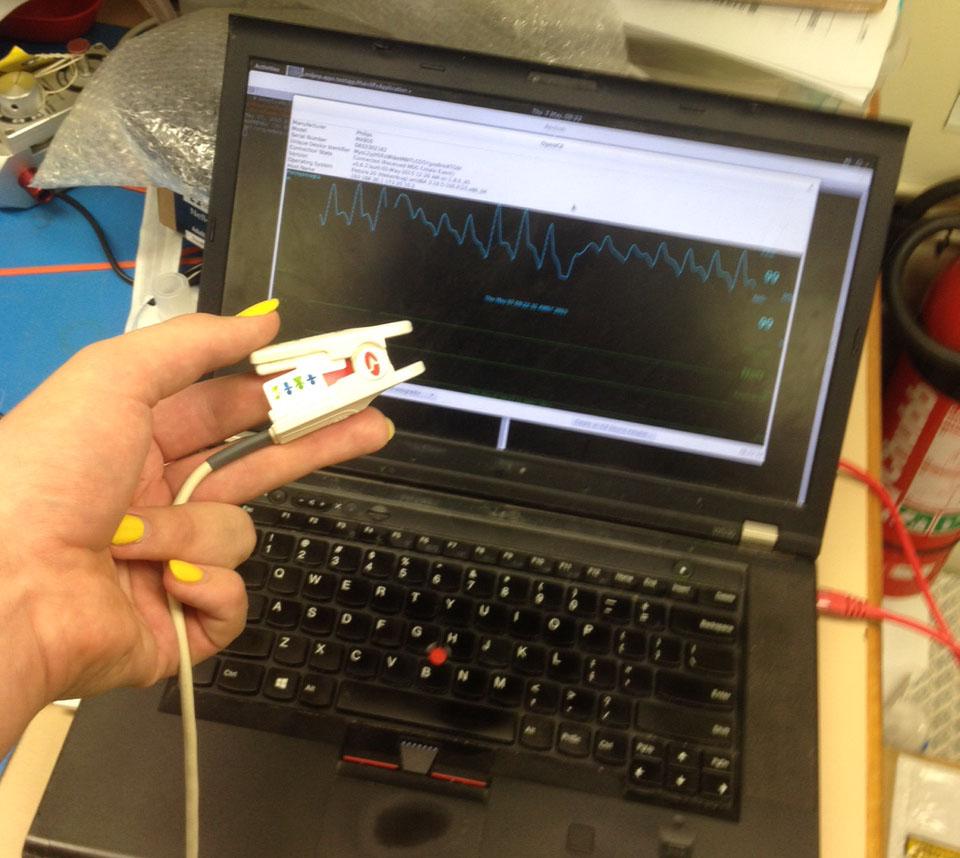
I haven't tried serial yet, although I don't really need it for my usecase currently.
I will give it a go next time I'm working with the monitor, because it would be nice to have that work also.
Thanks for all your help.
Thomas
Updated to 0.6.2 and attempted connection over LAN. Worked brilliantly!
I haven't tried serial yet, although I don't really need it for my usecase currently.
I will give it a go next time I'm working with the monitor, because it would be nice to have that work also.
Thanks for all your help.
Thomas
Right, that makes sense. Just wanted to make sure, in case the source of my issues was cabling!
Hi Jeff,
I performed further testing on Friday with our MX800, this time using version 0.6.1 of the OpenICE software, and the Oracle JVM 1.8.0_45.
When attempting connection over LAN, as before I have no success. Whilst the monitor sends connection indication events, the OpenICE Device Adapter never seems to attempt to connect. I'm curious as to if this might be related to my computer having more than 1 network adapter. I'm using a crossover cable, with both my laptop and the MX800 with static addresses assigned.
Further, the RS232/MIB connection was also unsuccessful. The OpenICE Device Adapter window showed a 'Connection State' of 'Negotiating' but did not progress further. Is there any known way to test the serial connection to the monitor? I'm slightly suspect I may have made an error in wiring my RJ45 to RS232 adapter, although I followed the manual.
Again, and assistance or direction would be greatly appreciated.
Thomas
I performed further testing on Friday with our MX800, this time using version 0.6.1 of the OpenICE software, and the Oracle JVM 1.8.0_45.
When attempting connection over LAN, as before I have no success. Whilst the monitor sends connection indication events, the OpenICE Device Adapter never seems to attempt to connect. I'm curious as to if this might be related to my computer having more than 1 network adapter. I'm using a crossover cable, with both my laptop and the MX800 with static addresses assigned.
Further, the RS232/MIB connection was also unsuccessful. The OpenICE Device Adapter window showed a 'Connection State' of 'Negotiating' but did not progress further. Is there any known way to test the serial connection to the monitor? I'm slightly suspect I may have made an error in wiring my RJ45 to RS232 adapter, although I followed the manual.
Again, and assistance or direction would be greatly appreciated.
Thomas
Hi Jeff,
I've managed to get OpenICE 0.6.1 running on my local machine, after a little fiddling with JDK versions.
I noticed a commit from you in the SourceForge repo suggesting an issue with mislabelling of Philips device adapters. Is this something I need to be looking out for?
Thanks,
Thomas
I've managed to get OpenICE 0.6.1 running on my local machine, after a little fiddling with JDK versions.
I noticed a commit from you in the SourceForge repo suggesting an issue with mislabelling of Philips device adapters. Is this something I need to be looking out for?
Thanks,
Thomas
Hi Jeff,
So far I'm running all software on my laptop, including the OpenICE Supervisor and a Local Device Adapter. As of yet I have not been able to connect to our Philips MX800 using either LAN or RS232.
When attempting to connect over LAN I was able to confirm that the network was connected between my laptop and the monitor, and that I could see the broadcasted CONNECT INDICATION events.
I had been using version 0.5.0 of the demo-apps, although now that I see that 0.6.1 is available I will move to using that. Further, I will attempt not specifying the monitor IP when initializing the Local Device Adapter, and I'll have to check again the permissions for /dev/ttyUSB0 on my machine.
Thanks,
Thomas
So far I'm running all software on my laptop, including the OpenICE Supervisor and a Local Device Adapter. As of yet I have not been able to connect to our Philips MX800 using either LAN or RS232.
When attempting to connect over LAN I was able to confirm that the network was connected between my laptop and the monitor, and that I could see the broadcasted CONNECT INDICATION events.
I had been using version 0.5.0 of the demo-apps, although now that I see that 0.6.1 is available I will move to using that. Further, I will attempt not specifying the monitor IP when initializing the Local Device Adapter, and I'll have to check again the permissions for /dev/ttyUSB0 on my machine.
Thanks,
Thomas
Today I attempted a connection over serial with the same MX800. I received the following error:
Console:
UI:
Thanks,
Thomas
Console:
Exception in thread "main" org.springframework.beans.factory.BeanCreationException: Error creating bean with name 'rtConfig' defined in class path resource [DriverContext.xml]: Bean instantiation via factory method failed; nested exception is org.springframework.beans.BeanInstantiationException: Failed to instantiate [org.mdpnp.apps.testapp.RtConfig]: Factory method 'setupDDS' threw exception; nested exception is com.rti.dds.infrastructure.RETCODE_ERROR: error creating entity at org.springframework.beans.factory.support.ConstructorResolver.instantiateUsingFactoryMethod(ConstructorResolver.java:602)
 at org.springframework.beans.factory.support.AbstractAutowireCapableBeanFactory.instantiateUsingFactoryMethod(AbstractAutowireCapableBeanFactory.java:1111)
 at org.springframework.beans.factory.support.AbstractAutowireCapableBeanFactory.createBeanInstance(AbstractAutowireCapableBeanFactory.java:1006)
 at org.springframework.beans.factory.support.AbstractAutowireCapableBeanFactory.doCreateBean(AbstractAutowireCapableBeanFactory.java:504)
 at org.springframework.beans.factory.support.AbstractAutowireCapableBeanFactory.createBean(AbstractAutowireCapableBeanFactory.java:476)
 at org.springframework.beans.factory.support.AbstractBeanFactory$1.getObject(AbstractBeanFactory.java:302)
 at org.springframework.beans.factory.support.DefaultSingletonBeanRegistry.getSingleton(DefaultSingletonBeanRegistry.java:230)
 at org.springframework.beans.factory.support.AbstractBeanFactory.doGetBean(AbstractBeanFactory.java:298)
 at org.springframework.beans.factory.support.AbstractBeanFactory.getBean(AbstractBeanFactory.java:193)
 at org.springframework.beans.factory.support.DefaultListableBeanFactory.preInstantiateSingletons(DefaultListableBeanFactory.java:762)
 at org.springframework.context.support.AbstractApplicationContext.finishBeanFactoryInitialization(AbstractApplicationContext.java:757)
 at org.springframework.context.support.AbstractApplicationContext.refresh(AbstractApplicationContext.java:480)
 at org.mdpnp.apps.testapp.Configuration.createContext(Configuration.java:147)
 at org.mdpnp.apps.testapp.IceAppsContainer$IceAppsContainerInvoker.execute(IceAppsContainer.java:422)
 at org.mdpnp.apps.testapp.Main.main(Main.java:51)
Caused by: org.springframework.beans.BeanInstantiationException: Failed to instantiate [org.mdpnp.apps.testapp.RtConfig]: Factory method 'setupDDS' threw exception; nested exception is com.rti.dds.infrastructure.RETCODE_ERROR: error creating entity
 at org.springframework.beans.factory.support.SimpleInstantiationStrategy.instantiate(SimpleInstantiationStrategy.java:189)
 at org.springframework.beans.factory.support.ConstructorResolver.instantiateUsingFactoryMethod(ConstructorResolver.java:591)
 ... 14 more
Caused by: com.rti.dds.infrastructure.RETCODE_ERROR: error creating entity
 at com.rti.dds.util.Utilities.rethrow(Unknown Source)
 at com.rti.dds.infrastructure.NativeFactoryMixin.create_entityI(Unknown Source)
 at com.rti.dds.domain.DomainParticipantFactoryImpl.create_participant(Unknown Source)
 at org.mdpnp.apps.testapp.RtConfig.setupDDS(RtConfig.java:61)
 at sun.reflect.NativeMethodAccessorImpl.invoke0(Native Method)
 at sun.reflect.NativeMethodAccessorImpl.invoke(NativeMethodAccessorImpl.java:57)
 at sun.reflect.DelegatingMethodAccessorImpl.invoke(DelegatingMethodAccessorImpl.java:43)
 at java.lang.reflect.Method.invoke(Method.java:606)
 at org.springframework.beans.factory.support.SimpleInstantiationStrategy.instantiate(SimpleInstantiationStrategy.java:162)
 ... 15 more
UI:
Disconnected (error initializing RS-232 to UDP purecomm.PortInUseException)As an asside, I also noticed that the OpenICE supervisor appears to only start when I have an active network connection, is this by design?
Thanks,
Thomas
I should note that I have confirmed that several
CONNECT INDICATION EVENT packets were found in the Wireshark dump from my testing session and that they were sent to the appropriate broadcast address. Customer support service by UserEcho


I've also dug a little further into the Philips adapter in OpenICE, and have looked through the implimentation and usage of
requestExtendedPoll, although I don't feel any closer to resolving the issue.